

- With an AI agent (recommended)
- Manually
Who this is for: you have an AI coding agent that can run commands on your
computer. A chat window in a browser cannot do this.
1
Open your agent in an empty folder
Create a new, empty folder and start your agent there. It writes one
script and one credentials file, nothing else.
2
Paste this prompt
Set me up with the Dealroom API. Follow https://developers.beta.dealroom.co/getting-started/agent-setup.md exactly. Guide me through creating an API key when you need it. When everything works, run the first request from that guide and show me the results as a table.
3
Follow the agent
It sends you to Settings, then API keys, asks you to select
Download as .env, and asks where you saved the file. Give it the
file path, not the values inside the file.
Done when the agent shows you a table of ten companies.
Never paste the client secret into the chat. The
.env file is the
handoff.1. Create an API key
In the Dealroom dashboard, open your avatar menu and select API keys, or go to Settings, then Developer, then API keys.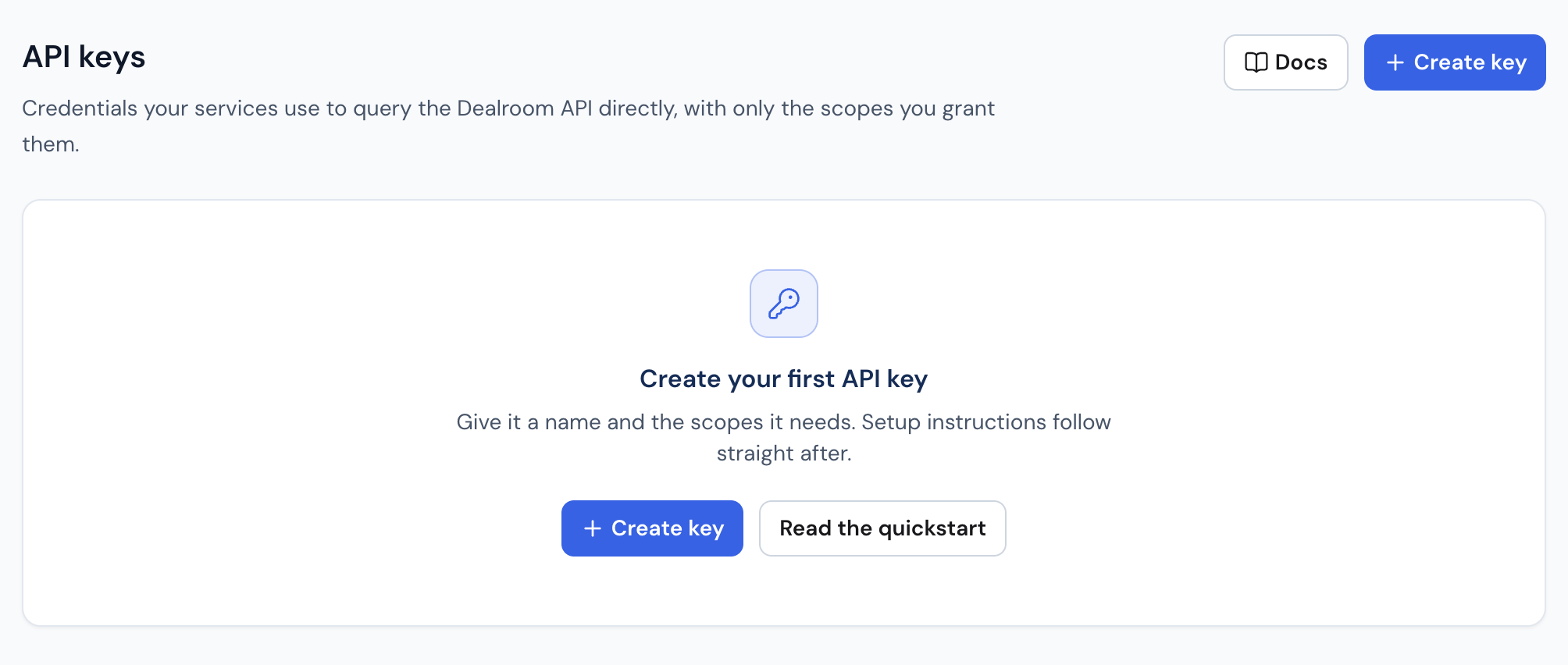
- Select Create key.
- Give the key a descriptive name and choose the scopes your integration needs.
- Select Create key again. The dialog shows your client ID and client secret. Copy them, or select Download as .env to save both to a file. You need them in the next step.
The client secret is shown only once and cannot be retrieved later. Scopes
cannot be changed after creation either. To change them, revoke the key
and create another.
What these terms mean
What these terms mean
- Client ID: the public name of your key. Safe to share, and sent on
every request as the
X-Client-Idheader. - Client secret: the password for your key. Never share it, never commit it, never paste it into a chat window.
- Token: a short-lived pass, valid for 24 hours, that you get by sending the client ID and secret to the token endpoint. It is what authenticates each API request.
.envfile: a plain text file ofNAME=VALUElines holding your credentials, so that no code and no command has the secret typed into it.
2. Get a token and make your first request
Pick your environment. The whole sequence is inside the tab.- macOS / Linux
- Windows PowerShell
- Node.js
- Python
These commands use This prints nothing. That means it worked. A red It prints a long string starting with
jq to read JSON.
Install it with brew install jq or your package manager, or replace
the final | jq . with | python3 -m json.tool.1
Set your credentials
Paste each line below into your terminal on its own, replace the
placeholder with the value from the key dialog or the downloaded
file, then press Enter.Both print nothing. That means it worked. Check that the value
arrived:It prints your client ID. If it prints
export DEALROOM_CLIENT_ID="YOUR_CLIENT_ID"
export DEALROOM_CLIENT_SECRET="YOUR_CLIENT_SECRET"
echo $DEALROOM_CLIENT_ID
YOUR_CLIENT_ID, the
placeholder was not replaced: run the first line again with the real
value.2
Exchange them for a token
ACCESS_TOKEN=$(curl -fsS -X POST "https://accounts.dealroom.co/oauth/token" \
  -H "Content-Type: application/json" \
  -d "{
    \"client_id\": \"$DEALROOM_CLIENT_ID\",
    \"client_secret\": \"$DEALROOM_CLIENT_SECRET\",
    \"audience\": \"https://api.beta.dealroom.app\",
    \"grant_type\": \"client_credentials\"
  }" | jq -er '.access_token')
curl: ... error: 401 means the client ID or secret is wrong, or the key belongs to a
different environment than these docs. Check that you have a token:echo $ACCESS_TOKEN
eyJ. If it prints nothing,
fix step 1 and run the exchange again.Your credentials and token live only in this terminal window, and
the token expires after 24 hours. In a new window, or when a
request fails with
401, run steps 1 and 2 again.3
Make the request
This fetches the ten highest-valued VC-backed companies launched in
2020 or later.
curl -fsSg "https://api.beta.dealroom.app/data/companies?sort=-latest_valuation&limit=10&include_total=true&filter=and(classification[in_any]:vc_backed,launch_date[gte]:2020)" \
  -H "Authorization: Bearer $ACCESS_TOKEN" \
  -H "X-Client-Id: $DEALROOM_CLIENT_ID" | jq .
Done when you see a JSON response with ten companies under
data.1
Set your credentials
Each line below asks you for one value. Paste the line into
PowerShell and press Enter. When it asks, paste the value from the
key dialog or the downloaded file, then press Enter again.Check that the values arrived:It prints your client ID.
$env:DEALROOM_CLIENT_ID = Read-Host "Client ID"
$env:DEALROOM_CLIENT_SECRET = Read-Host "Client secret"
$env:DEALROOM_CLIENT_ID
2
Exchange them for a token
$body = @{
  client_id     = $env:DEALROOM_CLIENT_ID
  client_secret = $env:DEALROOM_CLIENT_SECRET
  audience      = "https://api.beta.dealroom.app"
  grant_type    = "client_credentials"
} | ConvertTo-Json

$accessToken = (Invoke-RestMethod -Method Post `
  -Uri "https://accounts.dealroom.co/oauth/token" `
  -ContentType "application/json" `
  -Body $body).access_token
$accessToken
Your credentials and token live only in this terminal window, and
the token expires after 24 hours. In a new window, or when a
request fails with
401, run steps 1 and 2 again.3
Make the request
This fetches the ten highest-valued VC-backed companies launched in
2020 or later.
$headers = @{
  Authorization = "Bearer $accessToken"
  "X-Client-Id" = $env:DEALROOM_CLIENT_ID
}

$query = @{
  sort          = "-latest_valuation"
  limit         = 10
  include_total = "true"
  filter        = "and(classification[in_any]:vc_backed,launch_date[gte]:2020)"
}

Invoke-RestMethod -Method Get -Uri "https://api.beta.dealroom.app/data/companies" -Headers $headers -Body $query |
  ConvertTo-Json -Depth 10
Done when you see a JSON response with ten companies under
data.Node.js 18 or later. Nothing to install.
1
Save this file as quickstart.mjs
It reads the credentials file, gets a token, runs the request, and
prints the response.
import { readFileSync } from "node:fs";

const envPath = process.argv[2] ?? ".env";
const env = Object.fromEntries(
  readFileSync(envPath, "utf8")
    .split("\n")
    .filter(
      (line) => !line.trimStart().startsWith("#") && line.includes("="),
    )
    .map((line) => {
      const separator = line.indexOf("=");
      return [
        line.slice(0, separator).trim(),
        line.slice(separator + 1).trim(),
      ];
    }),
);

const clientId = env.DEALROOM_CLIENT_ID;
const clientSecret = env.DEALROOM_CLIENT_SECRET;

if (!clientId || !clientSecret) {
  throw new Error(`No DEALROOM_CLIENT_ID or DEALROOM_CLIENT_SECRET in ${envPath}`);
}

const tokenResponse = await fetch("https://accounts.dealroom.co/oauth/token", {
  method: "POST",
  headers: { "Content-Type": "application/json" },
  body: JSON.stringify({
    client_id: clientId,
    client_secret: clientSecret,
    audience: "https://api.beta.dealroom.app",
    grant_type: "client_credentials",
  }),
});

if (!tokenResponse.ok) throw new Error(await tokenResponse.text());
const { access_token: accessToken } = await tokenResponse.json();

const url = new URL("https://api.beta.dealroom.app/data/companies");
url.searchParams.set("sort", "-latest_valuation");
url.searchParams.set("limit", "10");
url.searchParams.set("include_total", "true");
url.searchParams.set(
  "filter",
  "and(classification[in_any]:vc_backed,launch_date[gte]:2020)",
);

const response = await fetch(url, {
  headers: {
    Authorization: `Bearer ${accessToken}`,
    "X-Client-Id": clientId,
  },
});

if (!response.ok) throw new Error(await response.text());
console.log(JSON.stringify(await response.json(), null, 2));
The script requests a fresh token every time it runs, so it never
hits the 24-hour token expiry. For a program that keeps running,
use the
token caching and refresh helper.
2
Run it with your credentials file
This path needs the
.env file from Download as .env. Pass its
location. Dragging the file into the terminal window pastes its path.node quickstart.mjs PATH_TO_YOUR_DOWNLOADED_FILE.env
Done when you see a JSON response with ten companies under
data.Python 3.9 or later. Nothing to install.
1
Save this file as quickstart.py
It reads the credentials file, gets a token, runs the request, and
prints the response.
import json
import sys
from pathlib import Path
from urllib.parse import urlencode
from urllib.request import Request, urlopen

env_path = sys.argv[1] if len(sys.argv) > 1 else ".env"
env = {}
for line in Path(env_path).read_text(encoding="utf-8").splitlines():
    line = line.strip()
    if line and not line.startswith("#") and "=" in line:
        key, value = line.split("=", 1)
        env[key.strip()] = value.strip()

client_id = env["DEALROOM_CLIENT_ID"]
client_secret = env["DEALROOM_CLIENT_SECRET"]

token_request = Request(
    "https://accounts.dealroom.co/oauth/token",
    data=json.dumps(
        {
            "client_id": client_id,
            "client_secret": client_secret,
            "audience": "https://api.beta.dealroom.app",
            "grant_type": "client_credentials",
        }
    ).encode(),
    headers={"Content-Type": "application/json"},
    method="POST",
)

with urlopen(token_request) as response:
    access_token = json.load(response)["access_token"]

query = urlencode(
    {
        "sort": "-latest_valuation",
        "limit": 10,
        "include_total": "true",
        "filter": "and(classification[in_any]:vc_backed,launch_date[gte]:2020)",
    }
)
api_request = Request(
    "https://api.beta.dealroom.app/data/companies?" + query,
    headers={
        "Authorization": f"Bearer {access_token}",
        "X-Client-Id": client_id,
        # urllib's default User-Agent is blocked at the edge
        "User-Agent": "my-app/1.0",
    },
)

with urlopen(api_request) as response:
    print(json.dumps(json.load(response), indent=2))
The script requests a fresh token every time it runs, so it never
hits the 24-hour token expiry. For a program that keeps running,
use the
token caching and refresh helper.
2
Run it with your credentials file
This path needs the
.env file from Download as .env. Pass its
location. Dragging the file into the terminal window pastes its path.python3 quickstart.py PATH_TO_YOUR_DOWNLOADED_FILE.env
Done when you see a JSON response with ten companies under
data.The
X-Client-Id header is required on every request made with an API
key. Leaving it out returns 400, not 401.3. Understand the response
The response has two parts.data holds the ten companies, each identified
by its uuid. page tells you how to fetch the next ten. Every field is
described in the Entity object reference, and
Pagination covers walking further pages.The X-Credits-Used response header shows what the call cost: 20, for ten
full company rows at 2 credits each. Add view=summary to get the summary
shape at 1 credit per row. Credits lists what every
endpoint costs.Example response
Example response
{
  "data": [
    {
      "uuid": "345d1ab6-33df-4759-9e17-0d0c0ec9ab1c",
      "name": "Example Corp",
      "type": "organization",
      "subtype": "company",
      "launch_date": "2021-03",
      "locations": [
        {
          "role": "hq",
          "city": { "id": 1297711, "name": "San Francisco" },
          "state": { "id": 1297710, "name": "California" },
          "country": { "id": 233, "name": "United States" },
          "continent": { "id": 6, "name": "North America" },
          "lat": 37.7878,
          "lon": -122.4032
        }
      ],
      "valuation": {
        "value": 5000000000,
        "year": 2026,
        "month": 4
      },
      "taxonomy": [
        { "id": 202, "name": "Artificial Intelligence", "type": "technology" }
      ]
    }
  ],
  "page": {
    "limit": 10,
    "offset": 0,
    "next_cursor": "eyJ2IjoxLCJkIjoibmV4dCIsInMiOiJfLmlkOmRlc2M...",
    "prev_cursor": null,
    "total": 4217
  },
  "currency": "USD"
}
Further reading
Top fintech startups
Continue with a complete query that looks up a taxonomy value, filters
companies, and sorts the results.
Filtering
Combine conditions and discover the accepted values for each filter.
Credits
Predict what a call costs before you make it, and read what it consumed.
Authentication
Token caching and refresh helpers, Command Prompt examples, HTTP client
notes, scopes, and credential rotation.
API Reference
Explore the available endpoints, parameters, filters, and response schemas.