

The Dealroom API supports two types of API keys:Documentation Index
Fetch the complete documentation index at: https://developers.beta.dealroom.co/llms.txt
Use this file to discover all available pages before exploring further.
- Programmatic (M2M) keys — for server-side integrations using the OAuth2 client credentials grant. Each key has a
client_idandclient_secret. - Browser app (application) keys — for single-page apps (SPAs) using Authorization Code + PKCE. No
client_secret; read-only permissions only.
Creating an API key
You can create API keys from the Dealroom dashboard or the API. Pick the type that fits your use case.From the Dealroom dashboard
Go to Settings > API in your Dealroom dashboard: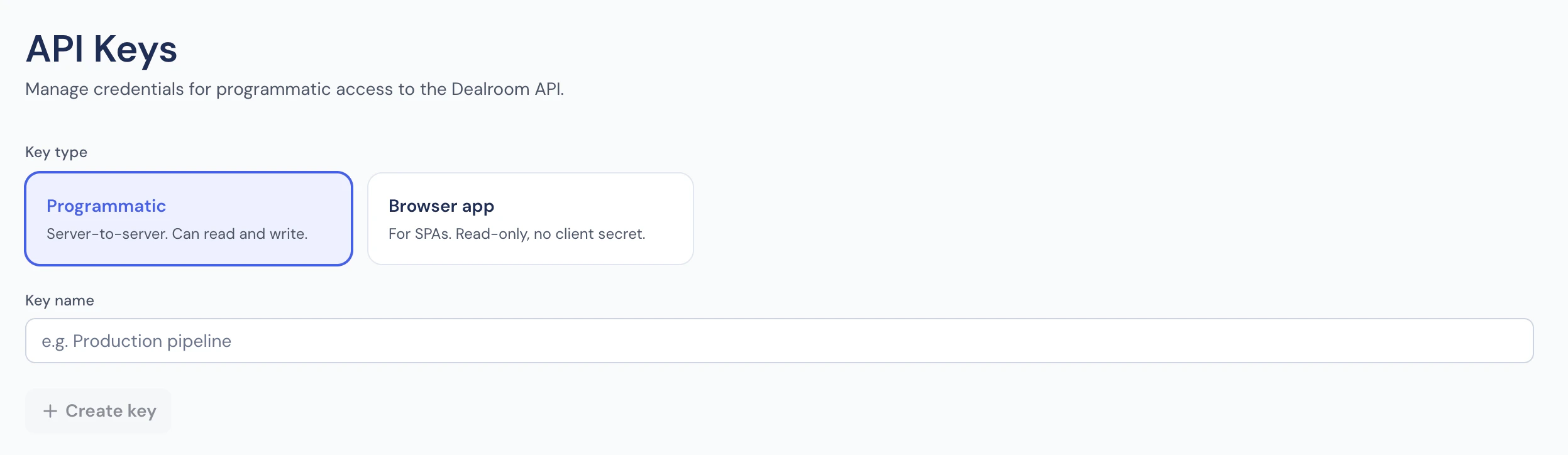
- Choose the key type: Programmatic for server-side, Browser app for browser SPAs.
- Enter a descriptive name (e.g.
Production — Data Pipeline). - Click + Create key.
- For Programmatic (M2M) keys: copy the
client_idandclient_secretimmediately — the secret is shown only once. For application keys: copy theclient_id— there is no secret in the SPA flow.
Quick start
Install the dependencies for your language and start making API calls in under a minute. The SDKs handle token exchange, caching, and automatic refresh — you just provide your credentials.Node.js setup
Node.js setup
Python setup
Python setup
Obtaining a Bearer token
If you prefer to handle token management yourself, exchange your credentials at the Auth0 token endpoint:expires_in seconds (typically 24h). Cache and reuse them. Requesting
a new token per API call is unnecessary and adds latency.
Making authenticated requests
Every request must include two headers:| Header | Description | Example |
|---|---|---|
Authorization | Bearer token from the token endpoint | Bearer eyJhbGciOiJSUzI1NiIs... |
X-Client-Id | The client_id issued when the API key was created | abc123def456 |
Why two headers?
Authorization— authenticates the request via JWT.X-Client-Id— cross-checked against the token’ssubclaim as an extra authenticity guard. Must match theclient_idused to obtain the token.
Error responses
Missing or invalid headers return 400 Bad Request:Permissions
API keys support fine-grained scopes. You can only grant permissions that you already hold. Common permissions:| Permission | Description |
|---|---|
read:entities | Query companies, funds, people |
read:investors | Query investor profiles |
read:founders | Query founder profiles |
read:transactions | Query funding rounds |
read:valuations | Query company valuations |
Usage dashboard
After making API requests, the dashboard Settings > API page shows:- Total requests — aggregated request count over time
- Endpoint breakdown — which endpoints are being called and how often
- Last used — when each key was last active
Best practices
- Principle of least privilege — only grant permissions your integration needs.
- Rotate regularly — revoke and recreate API keys periodically.
- Never commit secrets — use environment variables or a secrets manager.
- Cache tokens — reuse the access token for its full lifetime before refreshing.